
1 2 aim
Wholesale telecoms for the UK channel

Your desk phone,
without the desk!

A fully featured office phone inside your browser. Calls, chat, transfers, voicemail. Nothing to install.

  • Nothing to install
  • Calls, chat and voicemail
  • Works on any computer
See it

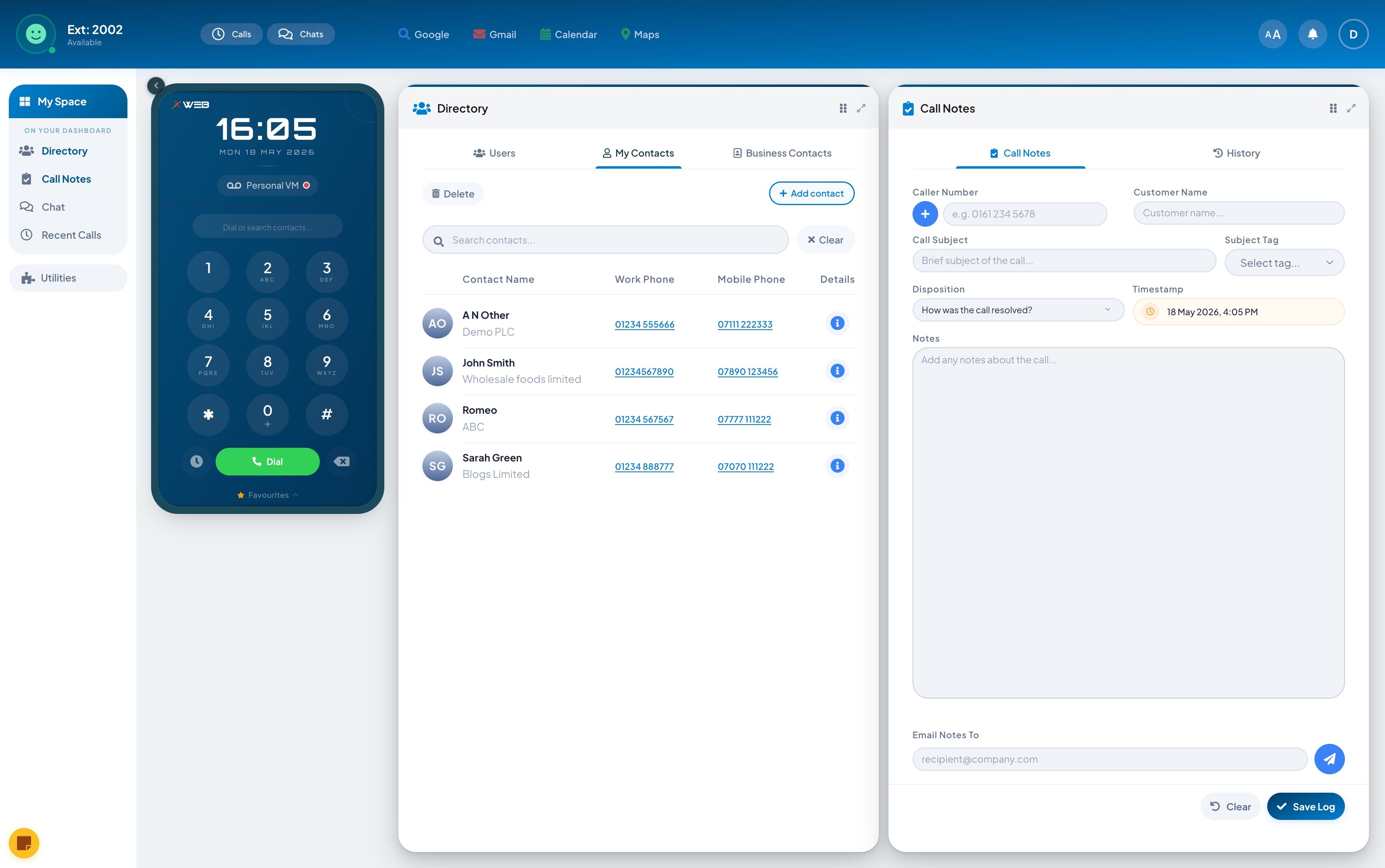
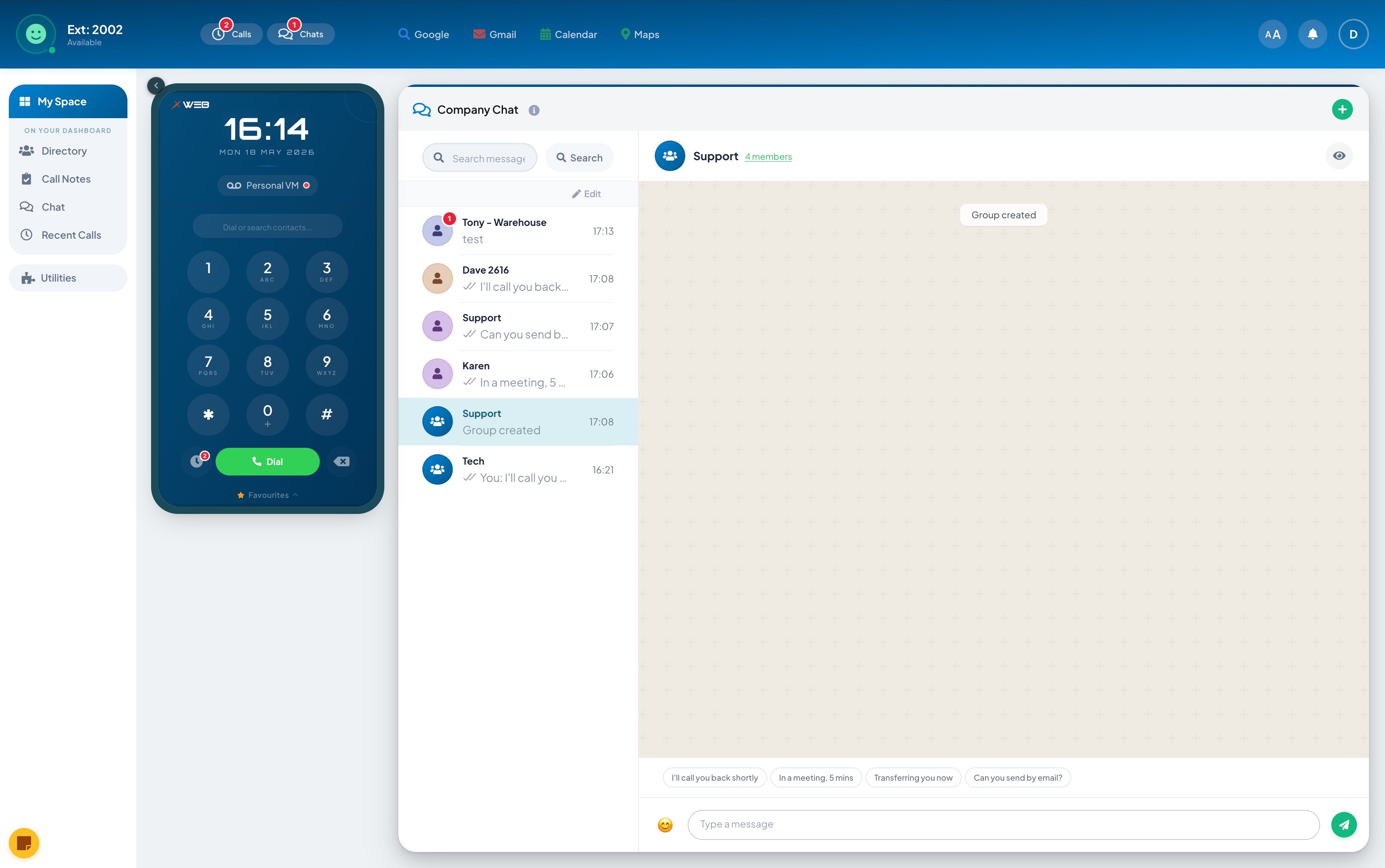
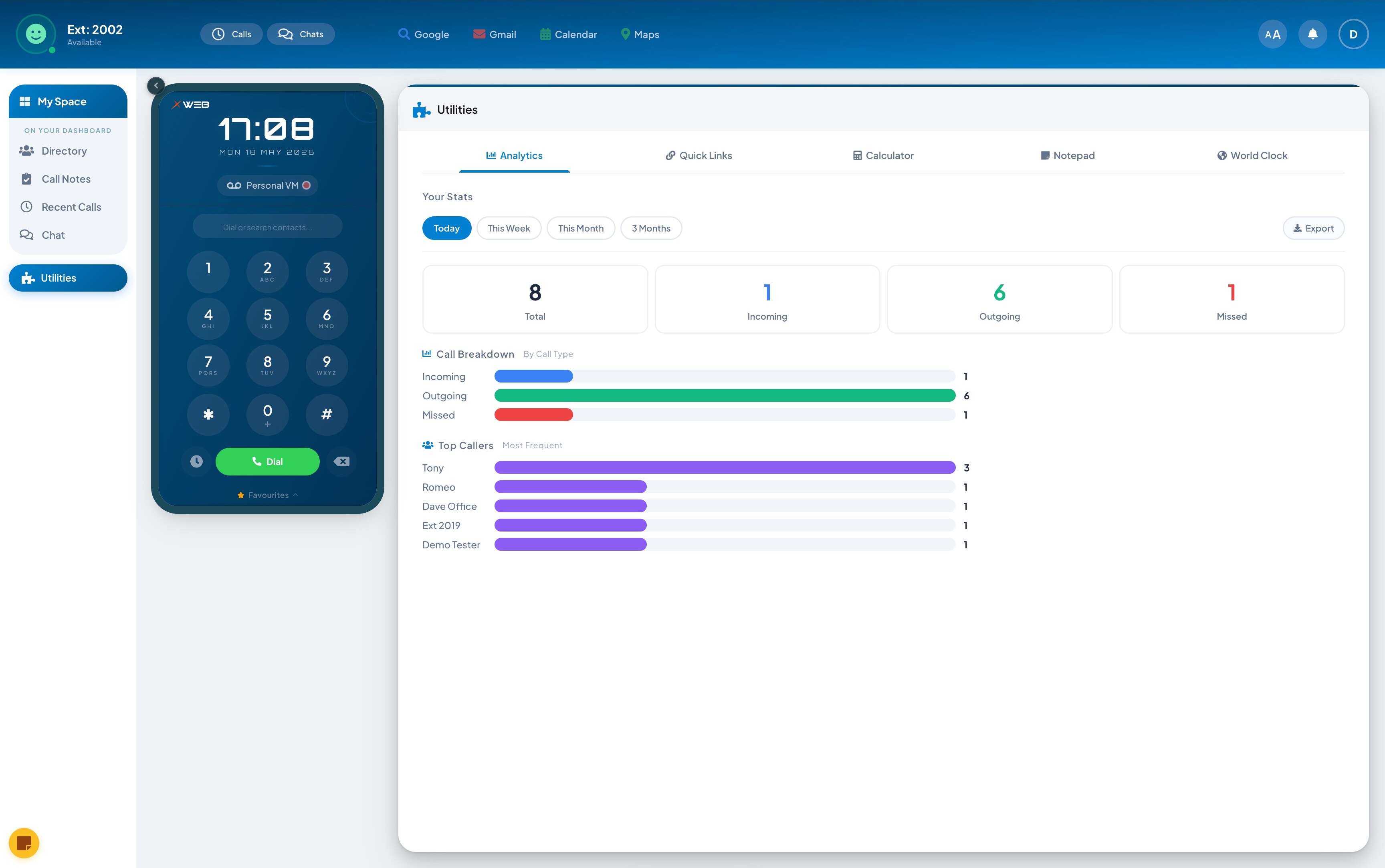
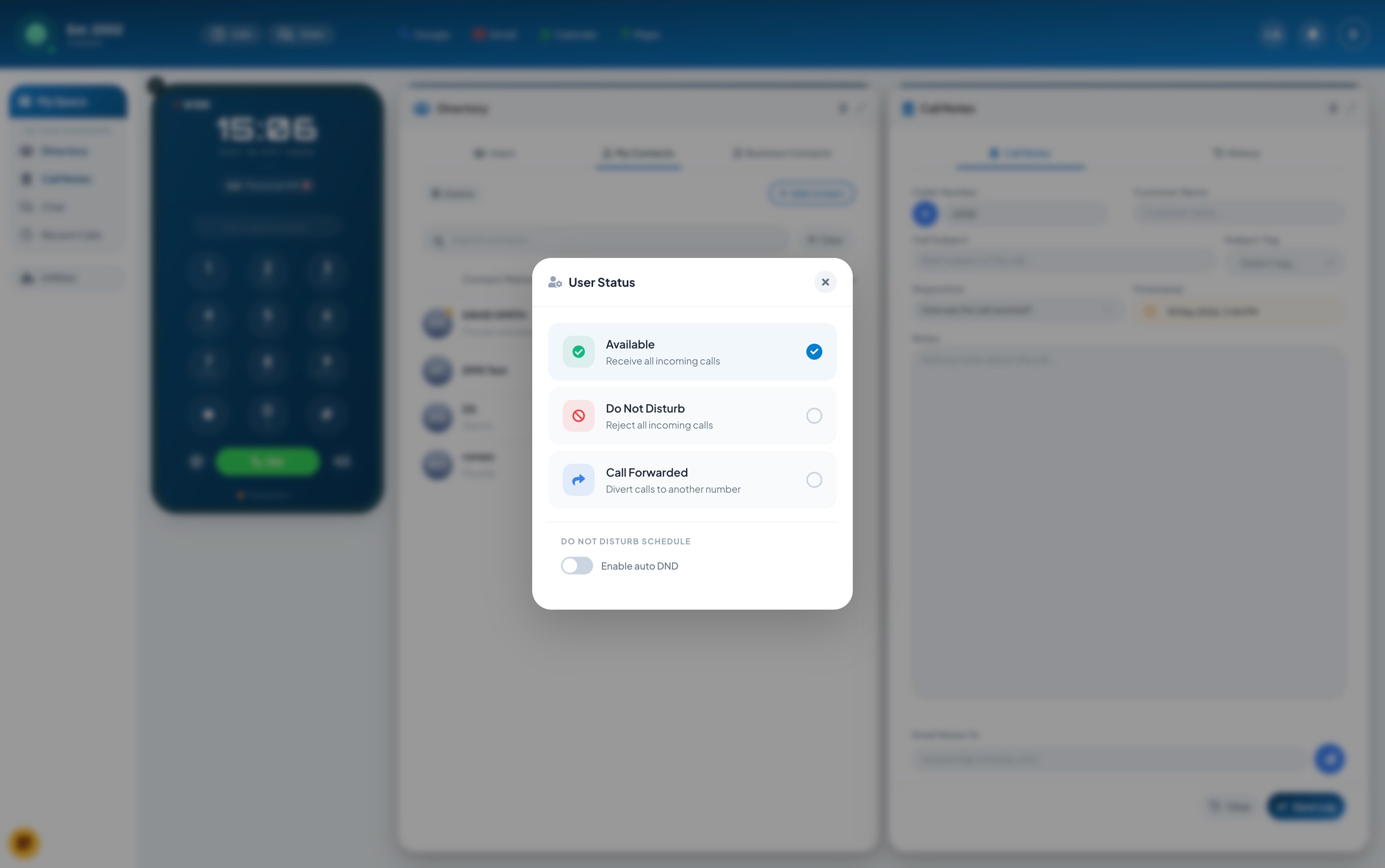
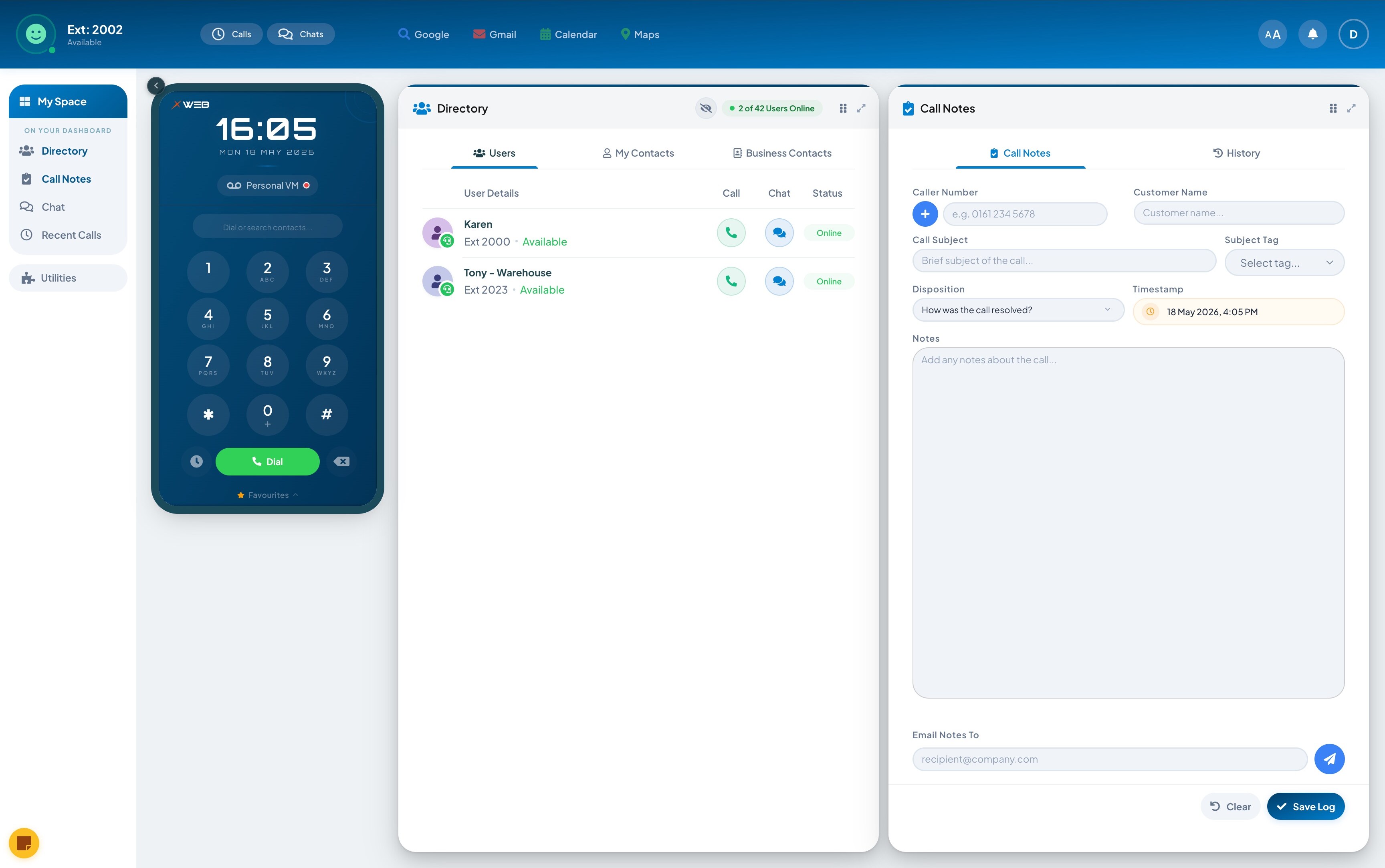
Multiple cards, one screen

Drag, drop, expand, pop out. Arrange the dashboard the way you work.
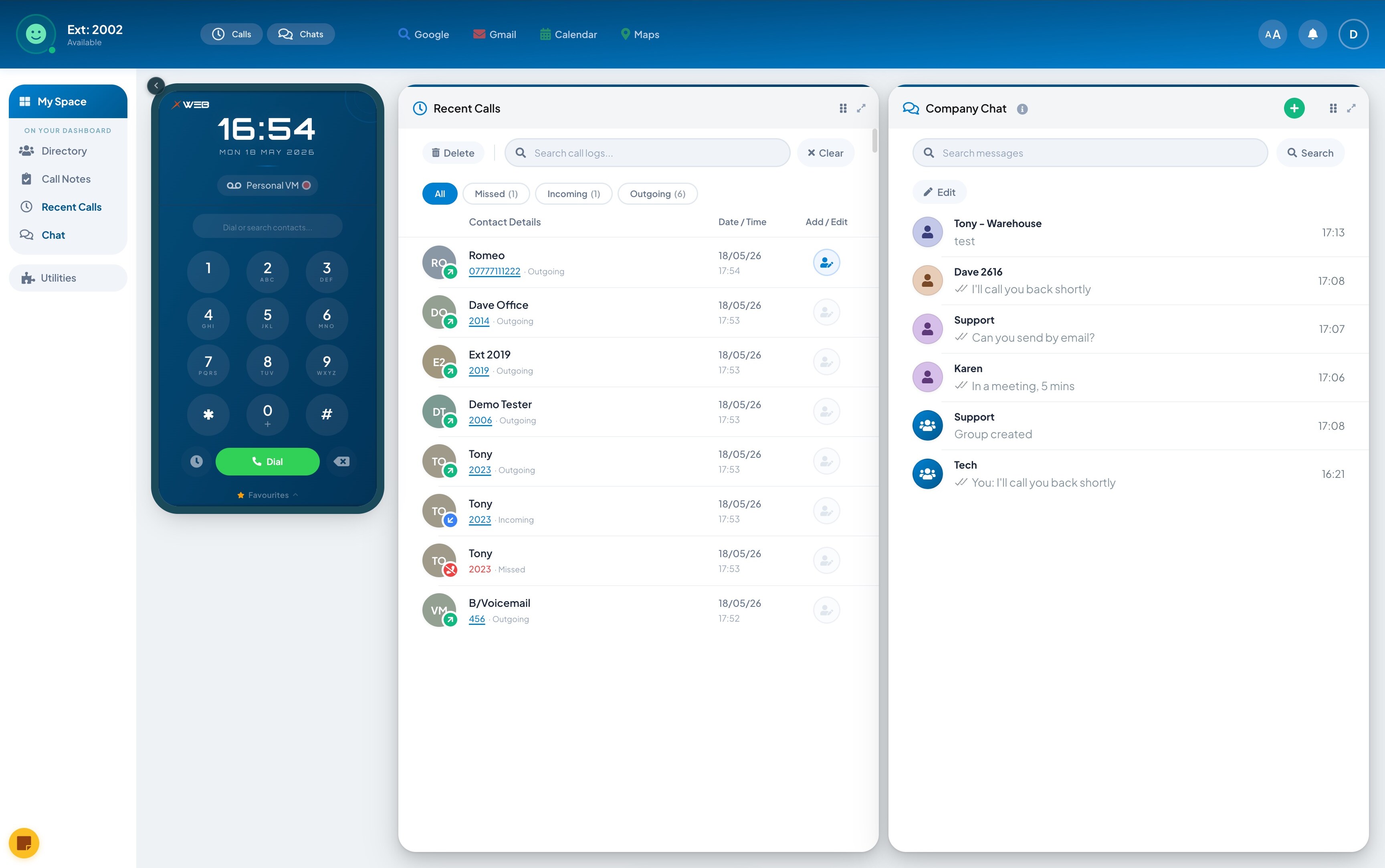
Chat and Recent Calls My Contacts and Call Notes Chat full-screen Utilities and analytics User status panel
What's included

Where most softphones stop. X-Web is just getting started.

Most softphones give you
The basics, and not much else
  • ✓ Keypad & dialler
  • ✓ Make & receive calls
  • ✓ Basic call transfer
  • ✓ Directory
  • ✓ One-to-one chat
X-Web adds

Advanced calling

  • Attended & blind call transfers
  • Three-way conferencing
  • Multiple concurrent calls
  • Hold, mute, in-call DTMF
  • Click-to-dial via Chrome extension
  • Dynamic keypad that adapts as you dial
  • Contact suggestions as you type
  • Favourites & redial
  • Scheduled Do Not Disturb
  • Call forwarding

Team chat & presence

  • Internal one-to-one & group chat
  • Read receipts (sent / delivered / read ticks)
  • Live directory presence (Online, Available, On a call, Offline)
  • One-click call from directory
  • One-click chat from directory
  • Archived chats

Voicemail & call history

  • Personal & business voicemail boxes
  • New-message indicator
  • Full call history with filters
  • Filter by missed, incoming or outgoing
  • Search call logs by name or number
  • Click any past call to redial
  • Delete entries individually or in bulk

Customisable dashboard

  • My Space card-based layout
  • Toggle cards on or off
  • Drag to reorder
  • Expand any card to full width
  • Popup mode & full-screen mode
  • Auto-switching as you resize
  • Interface zoom 70% to 150%

Productivity tools

  • Call notes & wrap-up tagging
  • Tag calls by Sales, Support, anything
  • Calculator with VAT & margin
  • Notepad that persists between sessions
  • Quick Links to your most-used sites
  • World clock
  • CSV bulk contact import

Sign-in & access

  • Magic-link login by email
  • One-time setup, automatic from then on
  • No passwords to remember
  • Sign in from any computer
  • Login follows your extension, not the device
  • Choose from a selection of ringtones
  • Ring, vibrate or silent modes
Wherever you log in

Your extension follows you, not the desk

Open a browser, sign in with your magic link and your number, your contacts and your chats are all there. No handset to carry and nothing to install.

Smiling man on his phone working from his laptop at home

At home

Work from your own laptop with the number your customers already know.

Man on headphones taking a call from his laptop on a train

On the move

On a train or in a hotel, take calls on your office number from a laptop.

Smiling woman on a headset at her laptop in the office

In the office

Transfers, presence and team chat right beside the apps you already use.

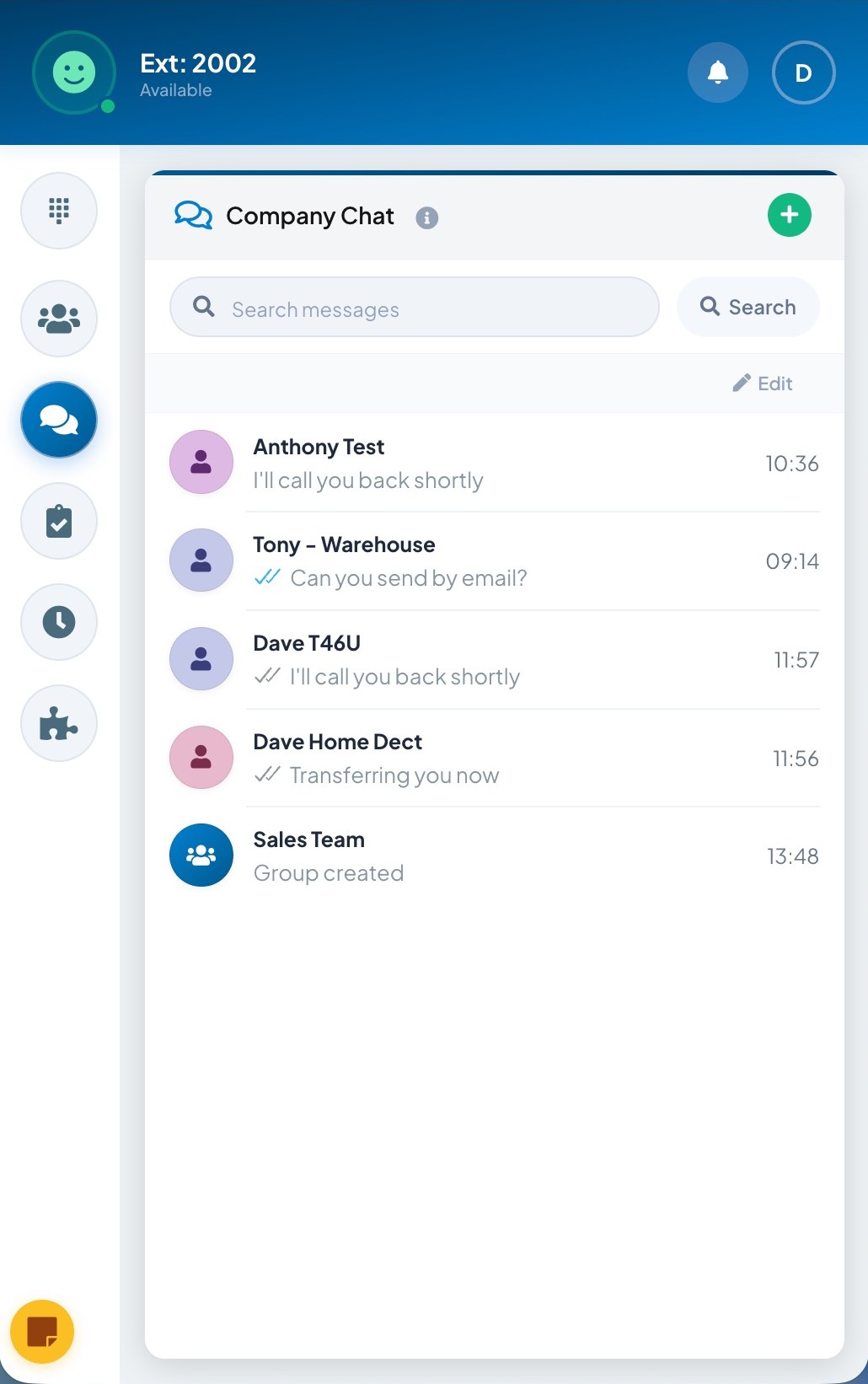
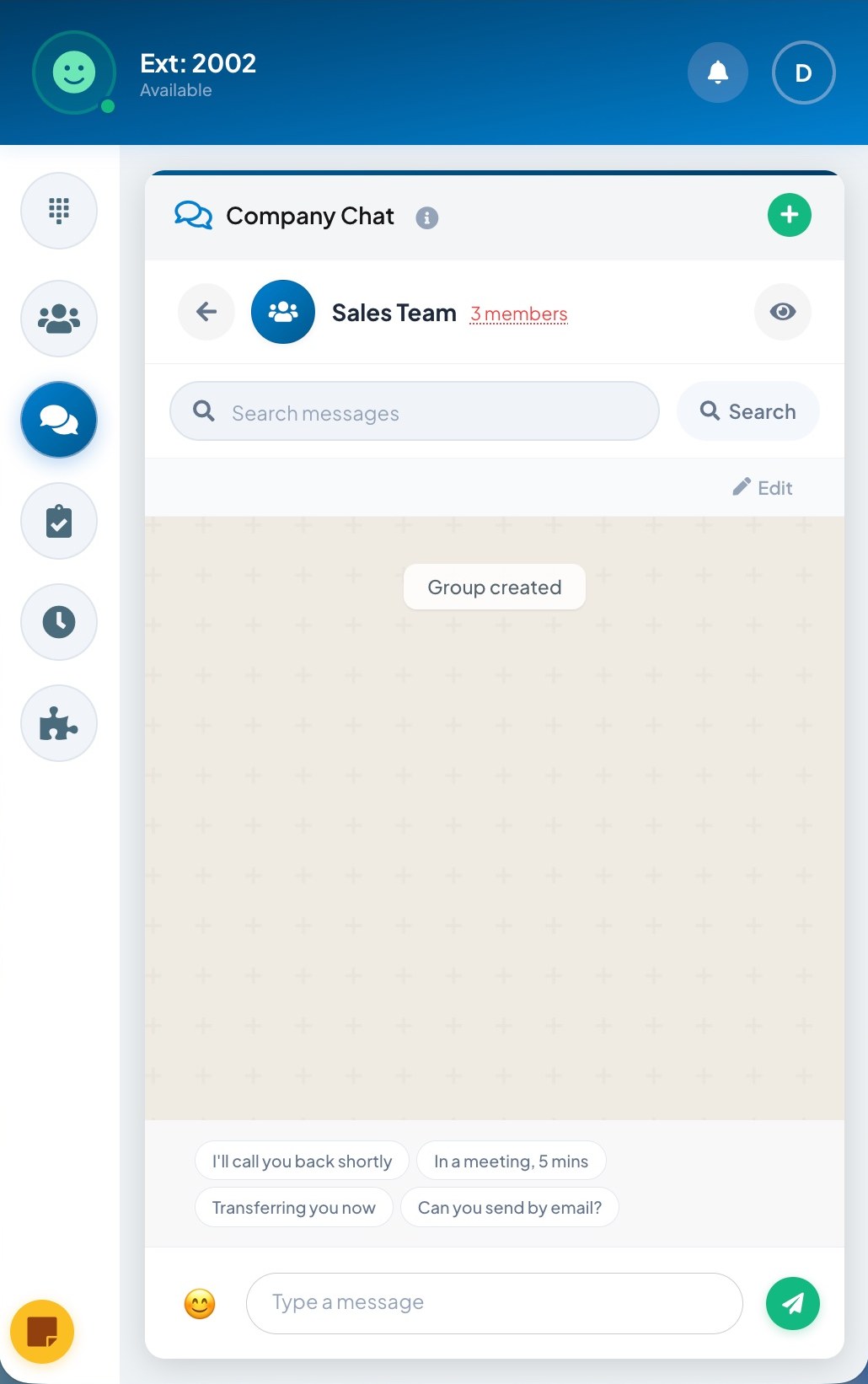
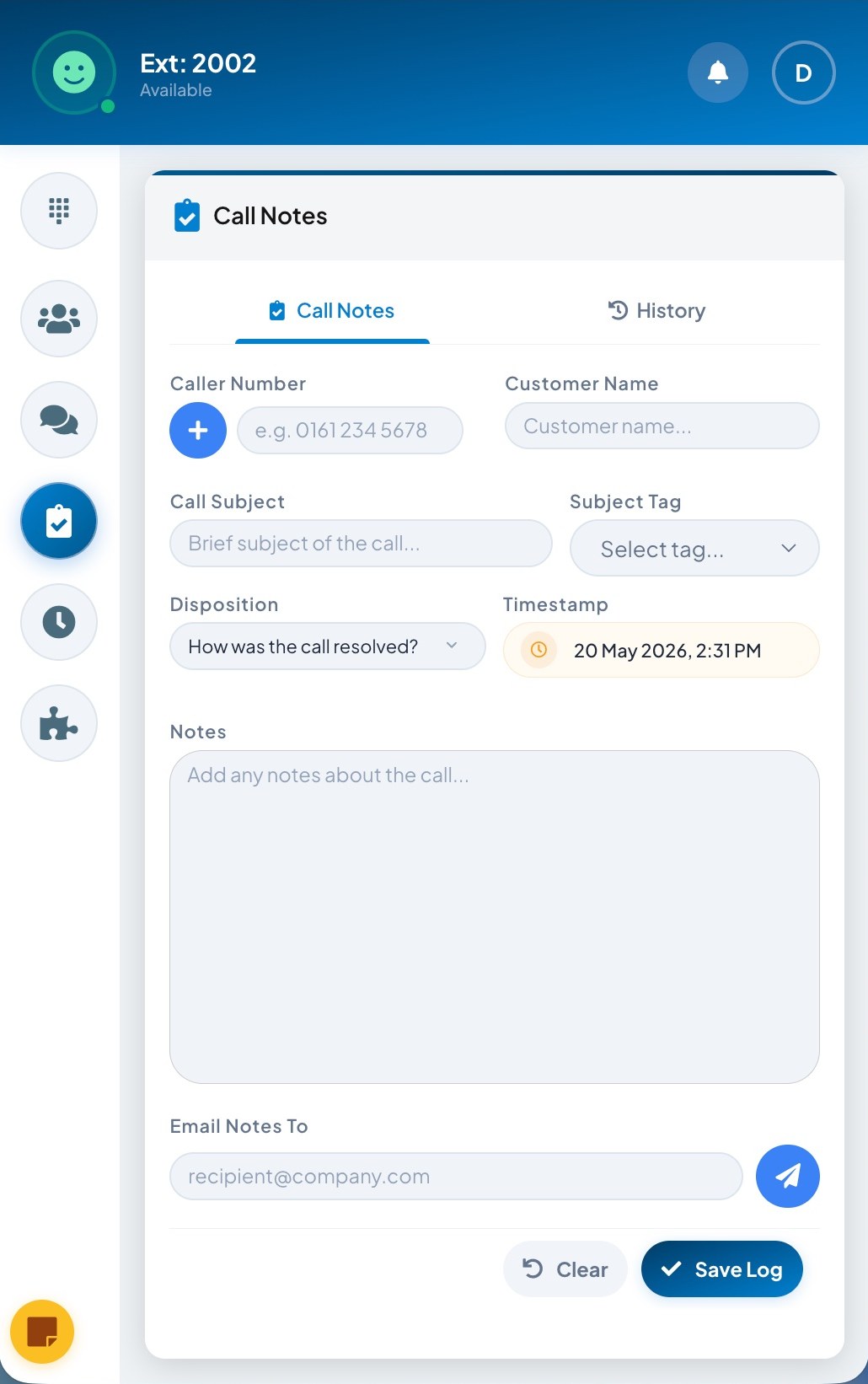
Compact mode: X-Web in a popup

A full phone system, in a popup window

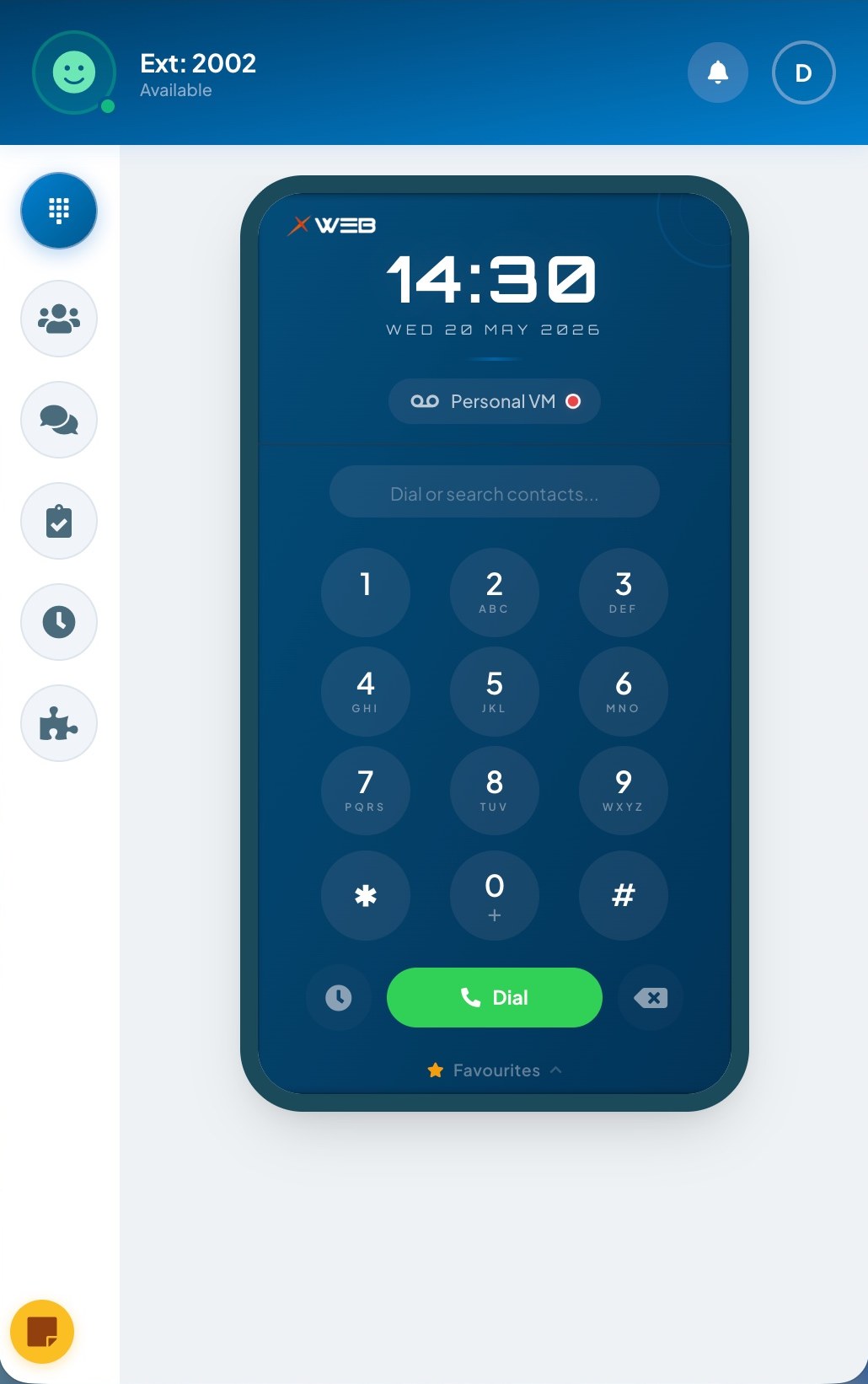
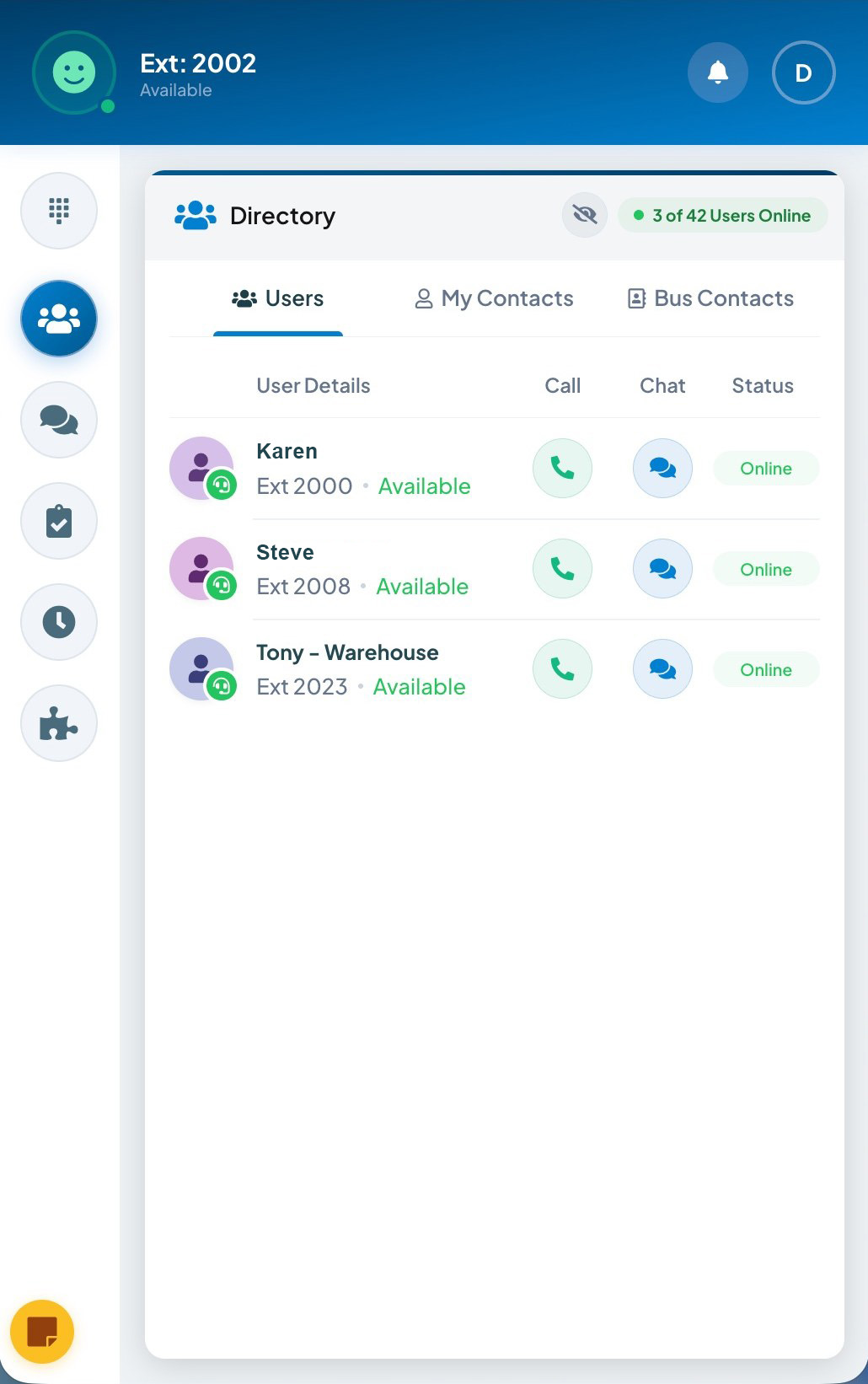
Pop X-Web out into a slim 500px window and keep it open beside your other apps. Everything in the full dashboard, just smaller. Here's a tour.
X-Web compact mode
1/5
X-Web compact popup showing the dial keypad with current time and Personal voicemail
X-Web compact popup showing the team directory with online status and call and chat buttons
X-Web compact popup showing the Company Chat list with one-to-one and group conversations
X-Web compact popup showing the Sales Team group chat with quick reply suggestions
X-Web compact popup showing the Call Notes form with caller, subject, disposition, notes and email fields
Dial & voicemail at a glance
Headset hanging on an open laptop at the sign-in screen
Set up in minutes

No handsets to buy. No apps to install.

X-Web runs in Chrome, Edge, Safari and Firefox. Your partner switches it on, your team gets a sign-in email, and they are taking calls the same day.

  • Magic-link login, no passwords to forget
  • Works alongside or instead of a desk phone
  • Same number, same extension, any computer
Start your free trial

New to browser softphones? Read our guide: What Is a Browser Softphone? A Guide to X-Web

Stay ahead of the channel

Product news, price updates and webinar invites for Plustel partners.